

Daniel Brooks
Crypto expert turning complex theory into clear guides.
How to Buy USDT with Wise
Anyone can buy USDT (Tether) easily now—all you need is Internet access. Moreover, it's possible to do it using most financial services, including Wise. To purchase USDT, you need not only to have a Wise account but also to understand how P2P platforms operate. In this article, we explain their principles of work and tell how you can quickly and easily buy USDT on P2P exchanges with Wise.
What Is Wise?
Wise (formerly TransferWise) is a global fintech service that is used to make international money transfers and set up multi-currency accounts. At the time of writing, the service supports over 40 fiat currencies (including USD and EUR), which can be sent and received by users from over 200 countries and regions. Wise offers transparent exchange rates—that’s the reason it is chosen for various purposes, including sending money to relatives abroad, paying freelancers, transferring funds between international banking services, etc.
Does Wise Support USDT?
At the moment, Wise does not support USDT and other cryptocurrencies. The service deals with electronic money in the form of fiat currency, but as for crypto, it does not offer asset management directly from the platform. But there is good news: you can use Wise to purchase USDT on third-party platforms. For example, P2P exchanges or direct purchases of coins on exchanges using Wise is possible. P2P platforms are the most popular option, so we’ll talk about them further.
How to Buy USDT with Wise?
Below we describe a step-by-step algorithm on how to purchase USDT using Wise.
Step 1: Create a Wise Account
You will need to install the Wise mobile app or go to the official website just from a browser. To sign up, you’ll be required to enter your full name, phone number, and email address and provide ID documents for verification. When your account is ready, top it up with fiat currency.
Step 2: Choose a P2P Platform
When choosing a platform, keep in mind that it has to offer Wise as a payment method and have USDT in the list of supported coins. Also check the security measures that the site offers: it should be 2FA, encryption technology, and escrow protection. If you are going to buy USDT for the first time, then evaluate the platform for its interface’s user-friendliness and the support service’s availability.
Step 3: Register on the P2P Platform
The next step is to create an account on the selected platform. Log in using Telegram, Google, or Facebook. There is also a way to register separately by simply entering your name and email address and coming up with a strong password.
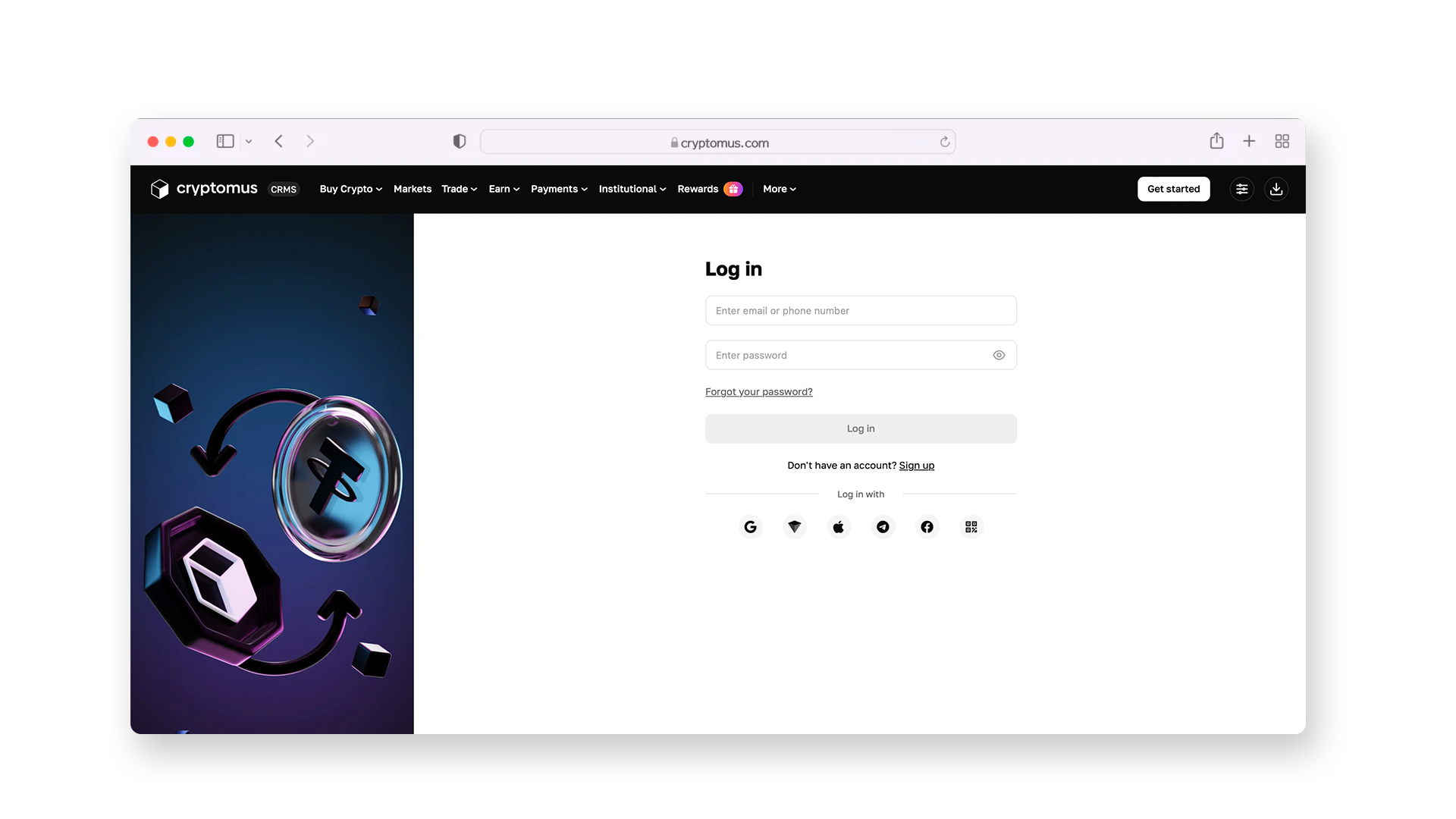
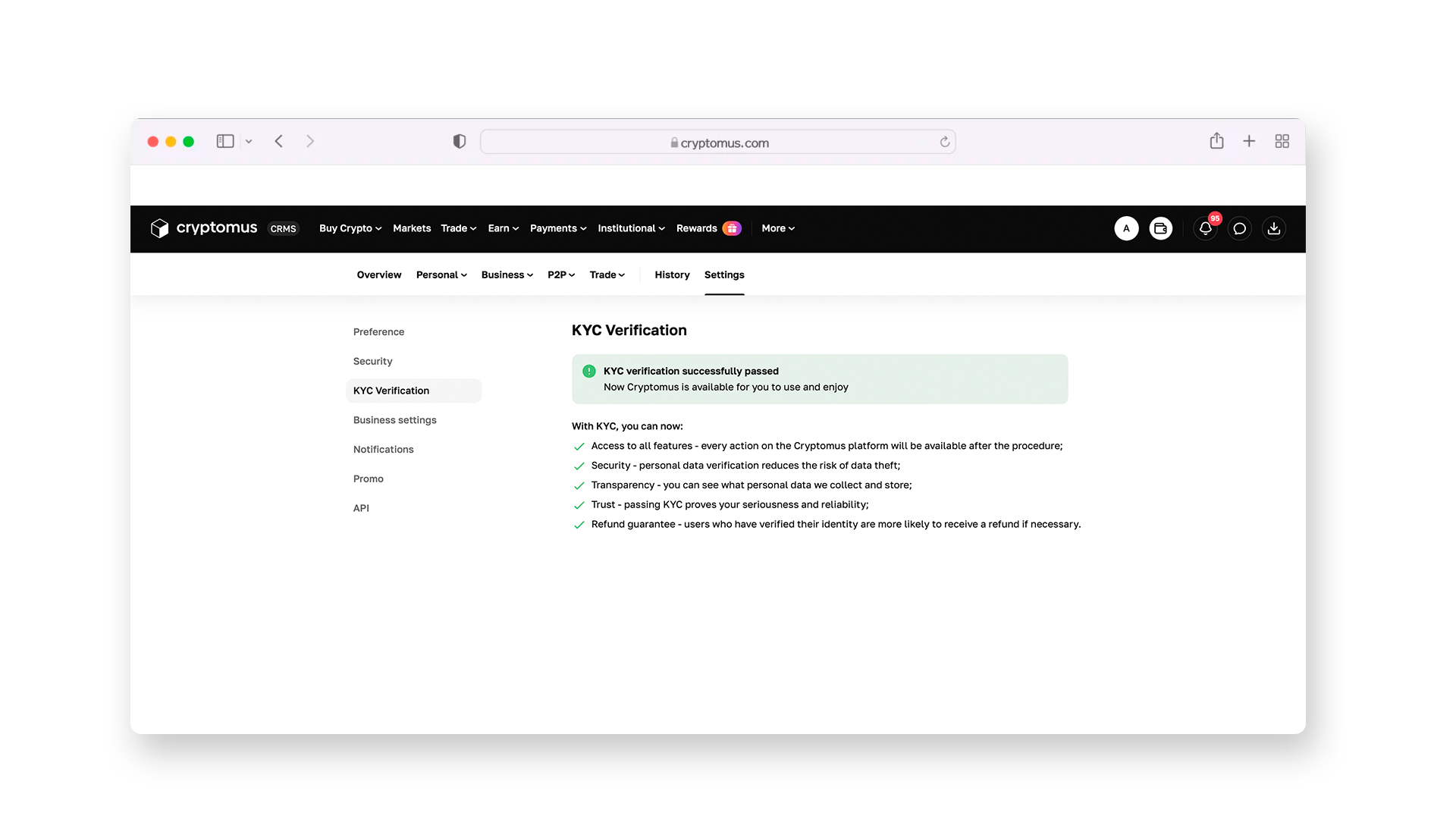
Then go through a short KYC procedure to gain access to all the platform's services, including the P2P exchange. Follow the instructions shown in the images below.
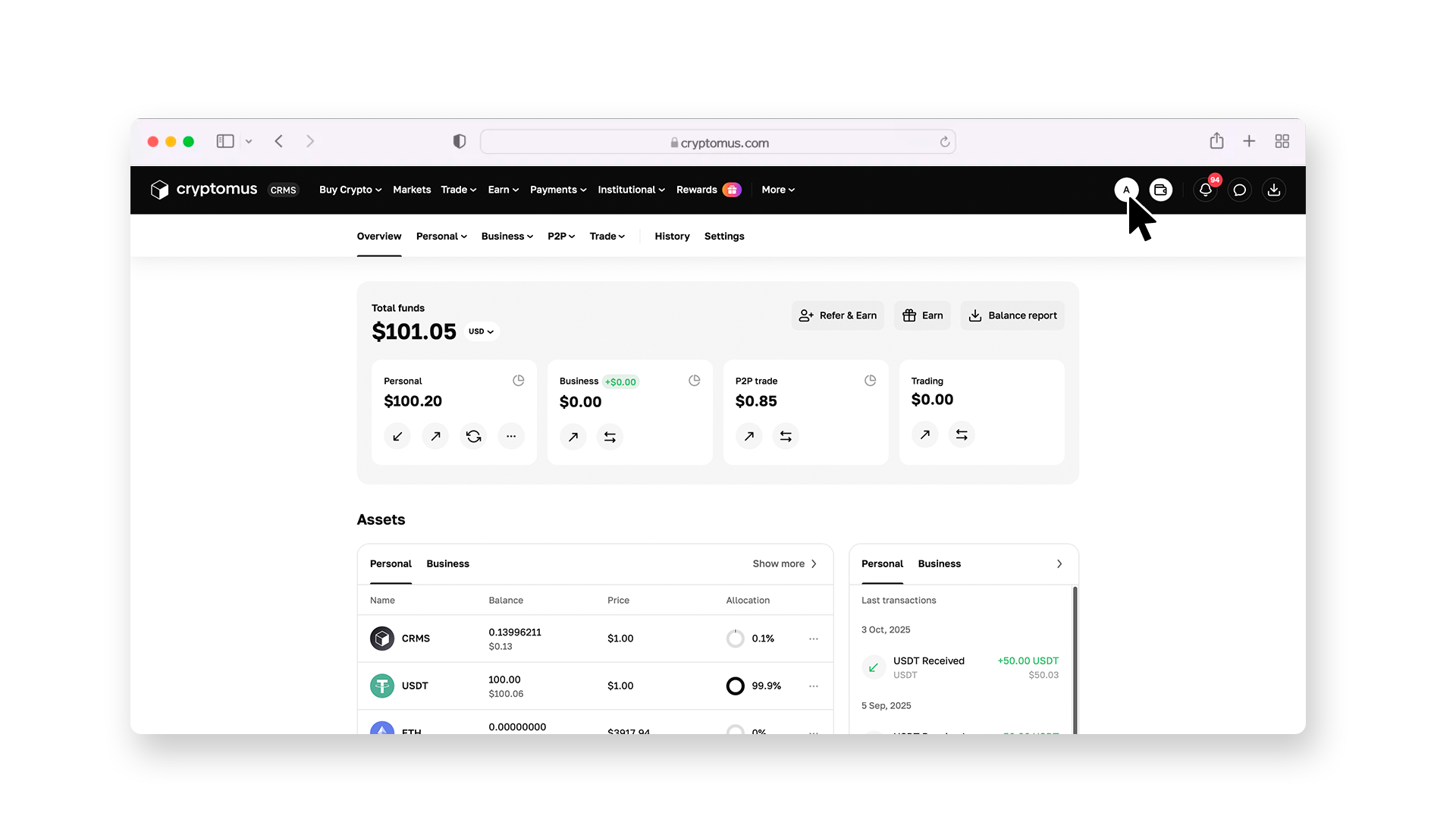
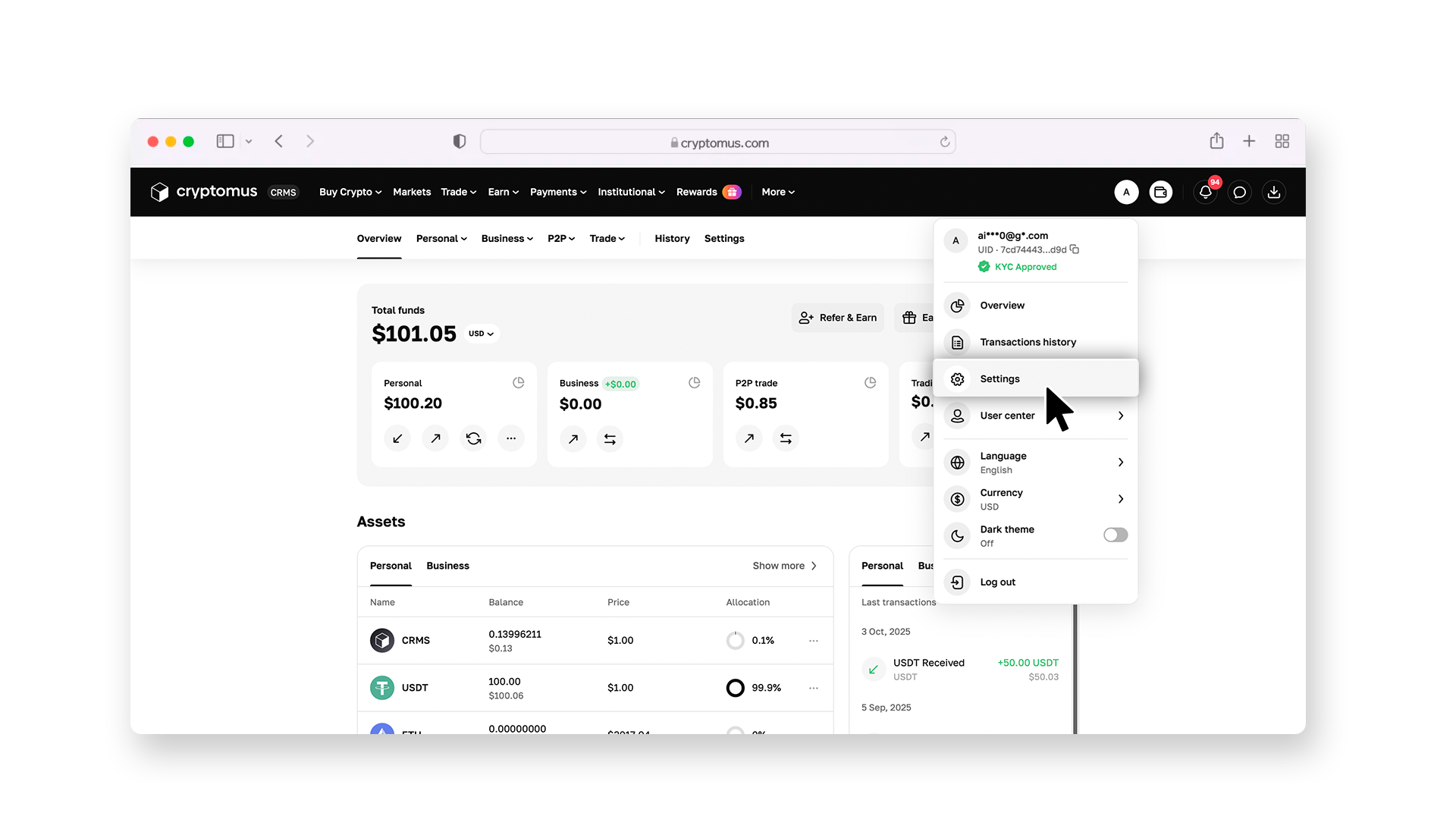
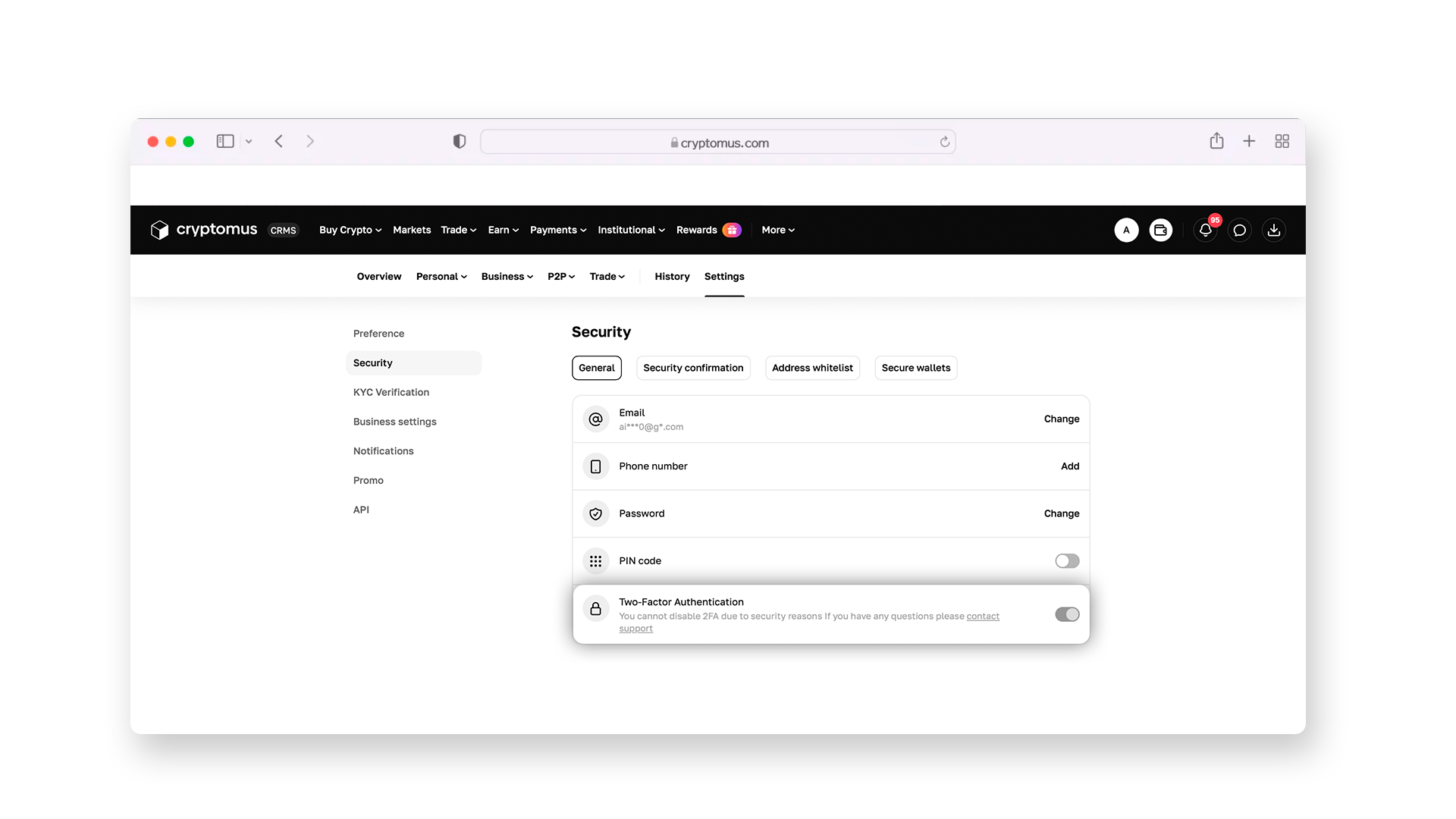
Don't forget about security measures—enable two-factor authentication at this stage.
Step 4: Install the Filters
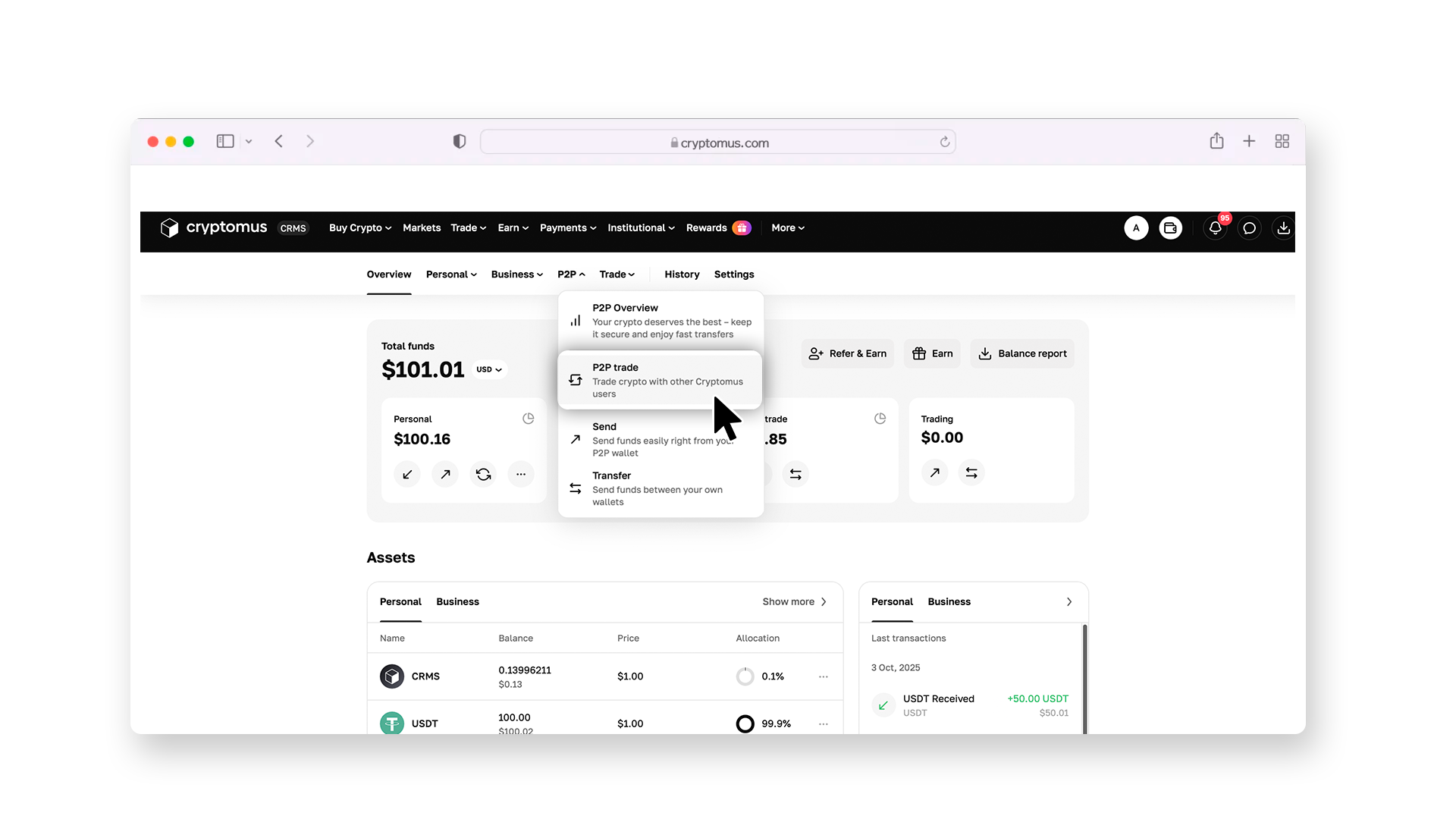
Return to the overview page and select the P2P section.
On the P2P page, go to the “Buy” section, and select USDT as the crypto you are willing to buy. Then choose Wise as the payment method from the drop-down list (“All payments”). This way, money will be debited from your Wise account when you purchase. The platform will then filter out all available offers so that you can only see sellers accepting Wise transfers.
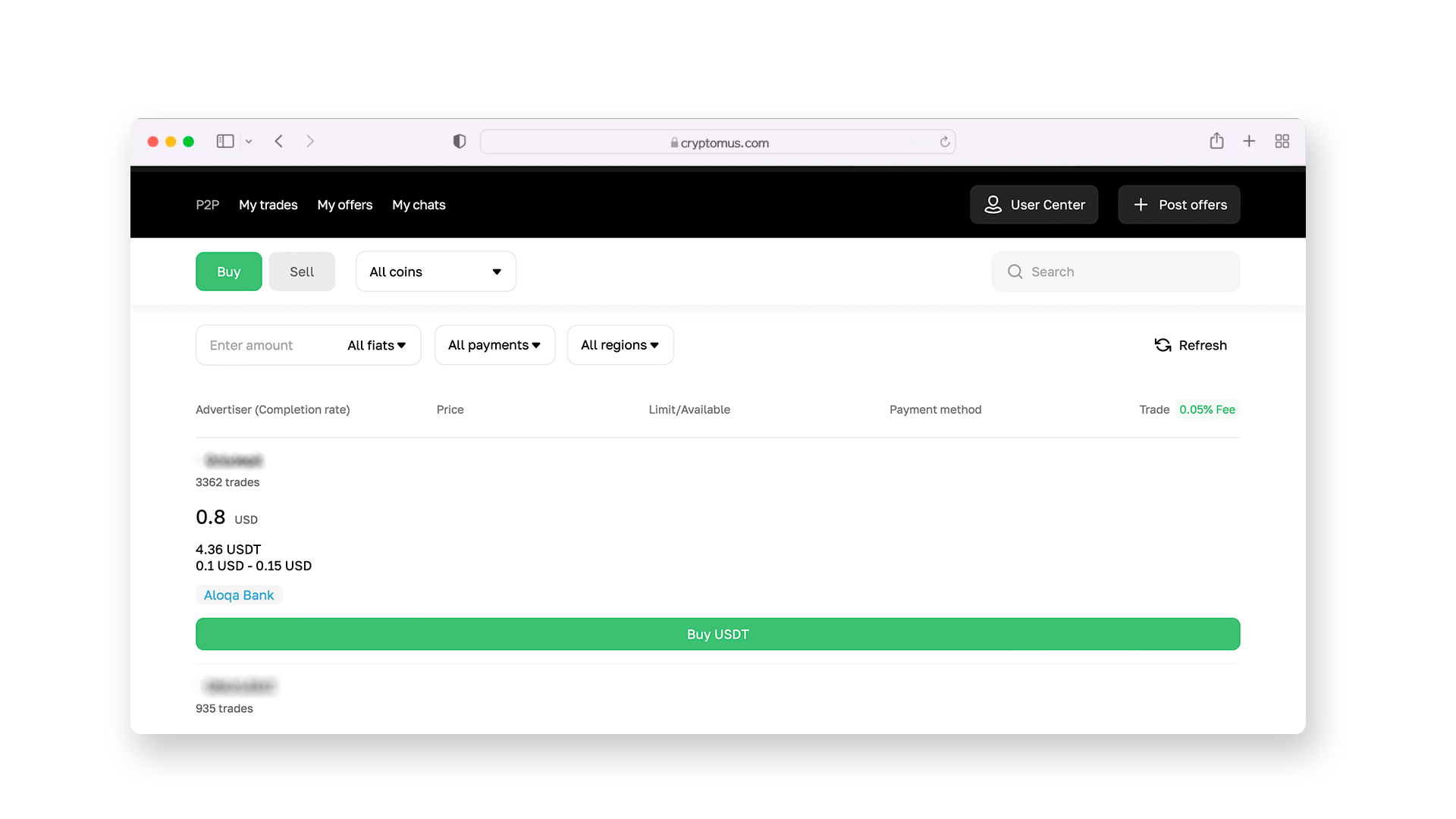
After these steps, enter the amount you wish to purchase and click on “Buy USDT”.
Step 5: Select the Seller
Review the list of offers that match your needs. Pay attention to the seller's rating, their number of closed deals, and reviews from other users—this will help you choose the most reliable trading partner. And of course, look at the exchange rate they offer—is it beneficial to you, or should you look further?
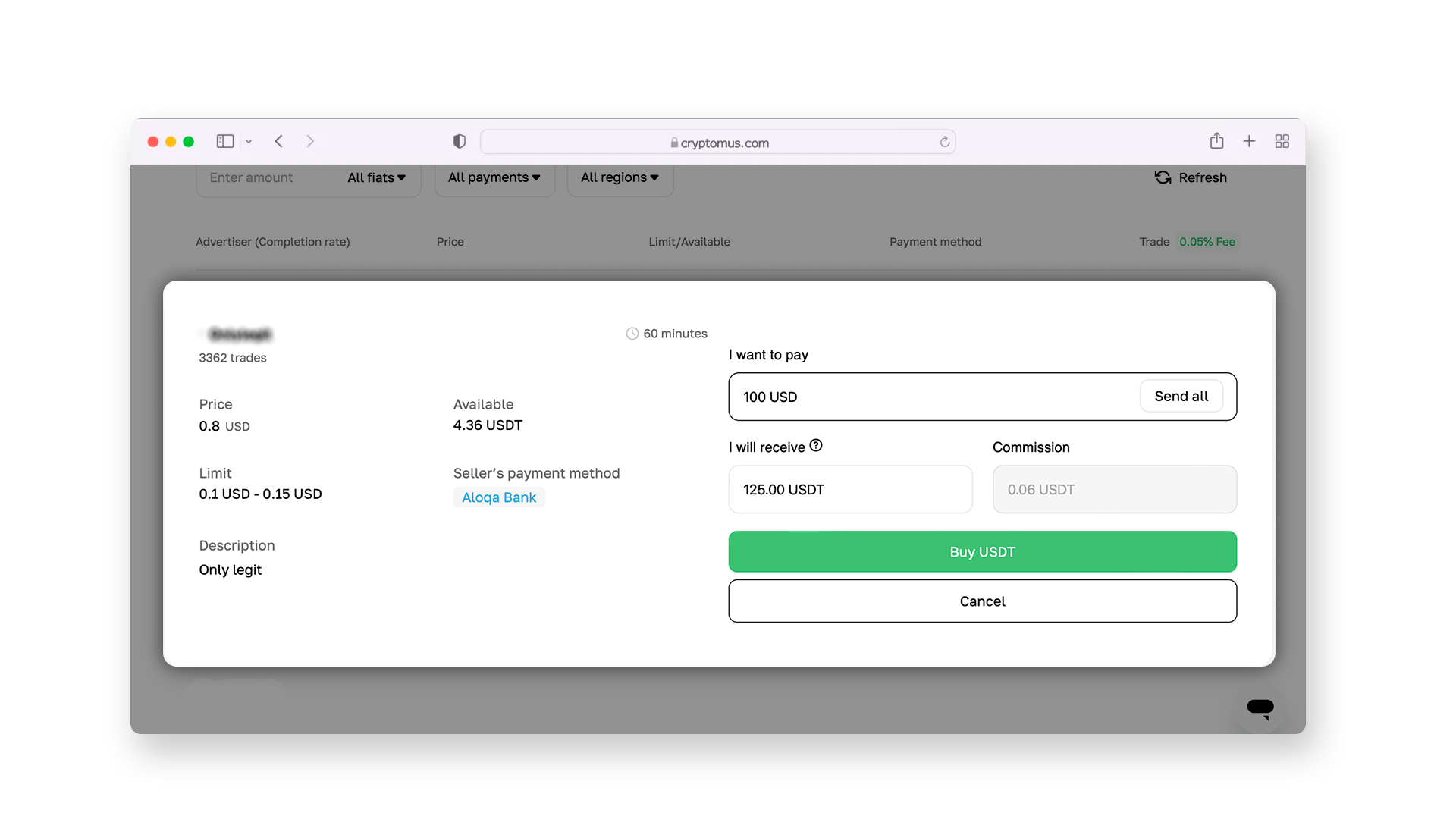
Step 6: Make a Deal
After selecting a seller, open a deal and write a message to the seller if you have any questions. Request Wise's banking details from him to transfer funds for USDT, and send the payment via your app or Wise's official website. In the P2P platform interface, click “Transferred, notify seller” and wait for the seller to confirm the payment and transfer USDT to your wallet.
Then check the wallet balance to make sure that the coins have been received, and transfer them to another crypto wallet for storage. On Cryptomus, for example, you can safely store crypto directly inside the platform—to do this, simply make a free transfer of your USDT from a P2P wallet to an exchange one.
 Buy USDT now with your bank cardPurchase USDT on Cryptomus with a card in a few clicks. Secure payments, fast execution, and simple interface.
How to Send USDT?
Now learn more about transferring USDT. After purchase, you can easily send your coins to any external wallet. To do this, save the address or its QR code.
Here's how to transfer:
-
Go to the "Send" section inside the platform.
-
Select USDT as the desired coin to send, and notify the network (for example, TRON).
-
Insert the wallet address for the transfer. Make sure that everything is entered correctly, as transactions are irreversible.
-
Specify the transfer amount, taking into account the commission charged by the exchange.
-
Click on "Send" and enter the 2FA code to confirm sending.
After these steps, your USDT will be transferred to the selected wallet. It may take time, so try to choose the most optimal time to send the crypto.
Buying cryptocurrency today is much easier than it seems—hopefully, you are convinced of this by studying this guide. Using fintech services that you prefer or already use makes this process even more enjoyable. The main thing to keep in mind is security, as it's about finances.
Share your experience of buying and sending USDT with Wise or other services—have you faced difficulties? Or was everything going smoothly?


