

Daniel Brooks
Crypto expert turning complex theory into clear guides.
How to Buy USDT with a Visa Gift Card
The emergence of various ways of purchasing crypto makes it accessible to anyone. For example, one such method is the Visa Gift Card. In this article, we tell you how to buy USDT or other crypto quickly and profitably using it.
What Is a Visa Gift Card?
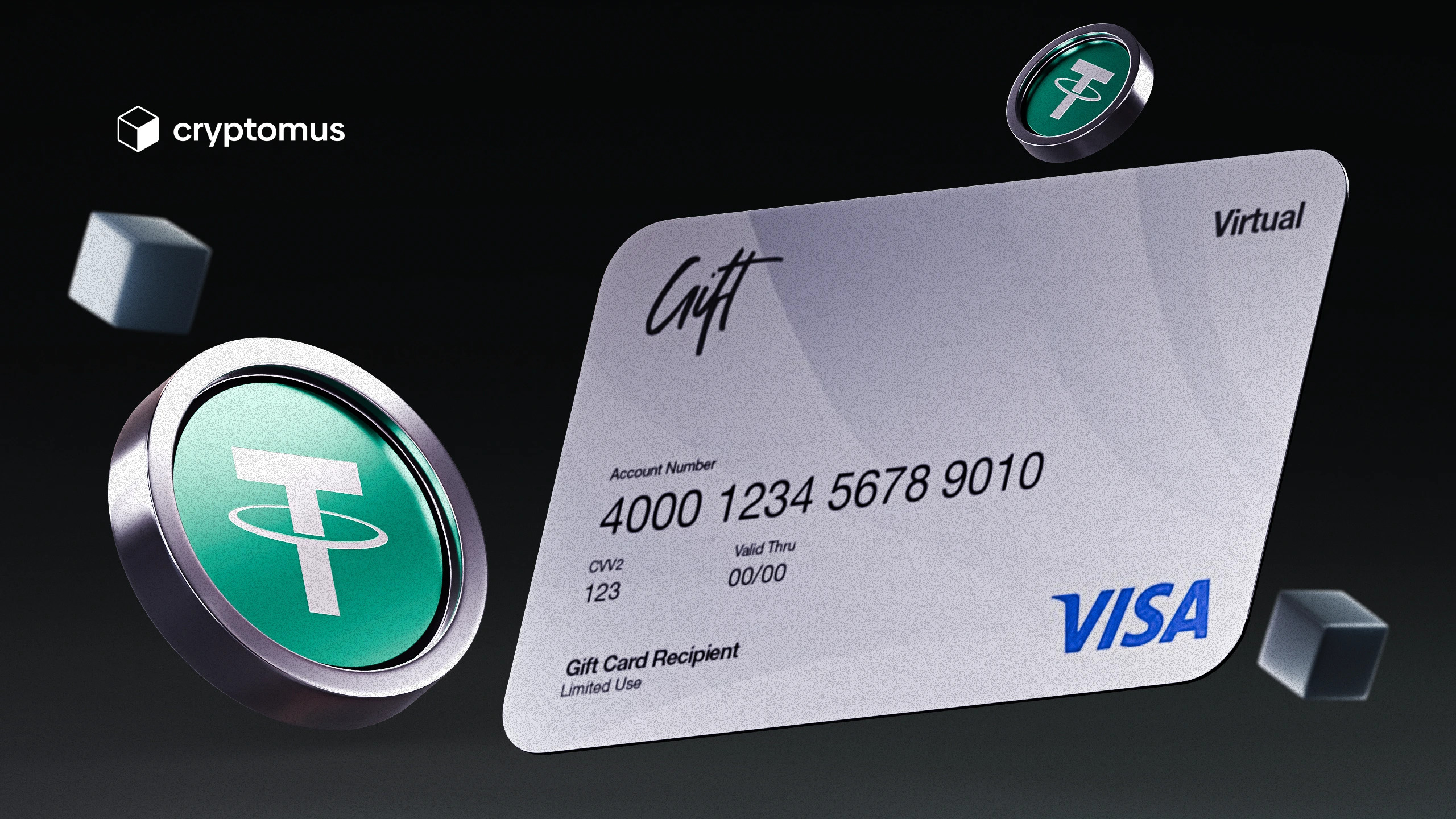
A Visa Gift Card is a prepaid card that is used like a regular debit or credit card for payments anywhere Visa is accepted. They are often given as gifts, allowing the recipient to spend the balance as they wish. Although the card can no longer be used after the balance depletion, it’s an excellent solution for those who value privacy, as it doesn’t require the disclosure of personal banking information. Another benefit is that such cards can be issued in both physical and virtual formats, depending on preferences.
How to Buy USDT with a Visa Gift Card?
To purchase USDT with a Visa Gift Card, you need to use a crypto platform, usually a P2P exchange. In this case, the card acts as a payment method from which the money will be sent to the seller of crypto.
Step 1: Creating an Account
The first step is to register. For doing this, enter your name and email address and come up with a strong password. In the future, you’ll be able to log in to your account more easily via Telegram, Google, or Facebook.
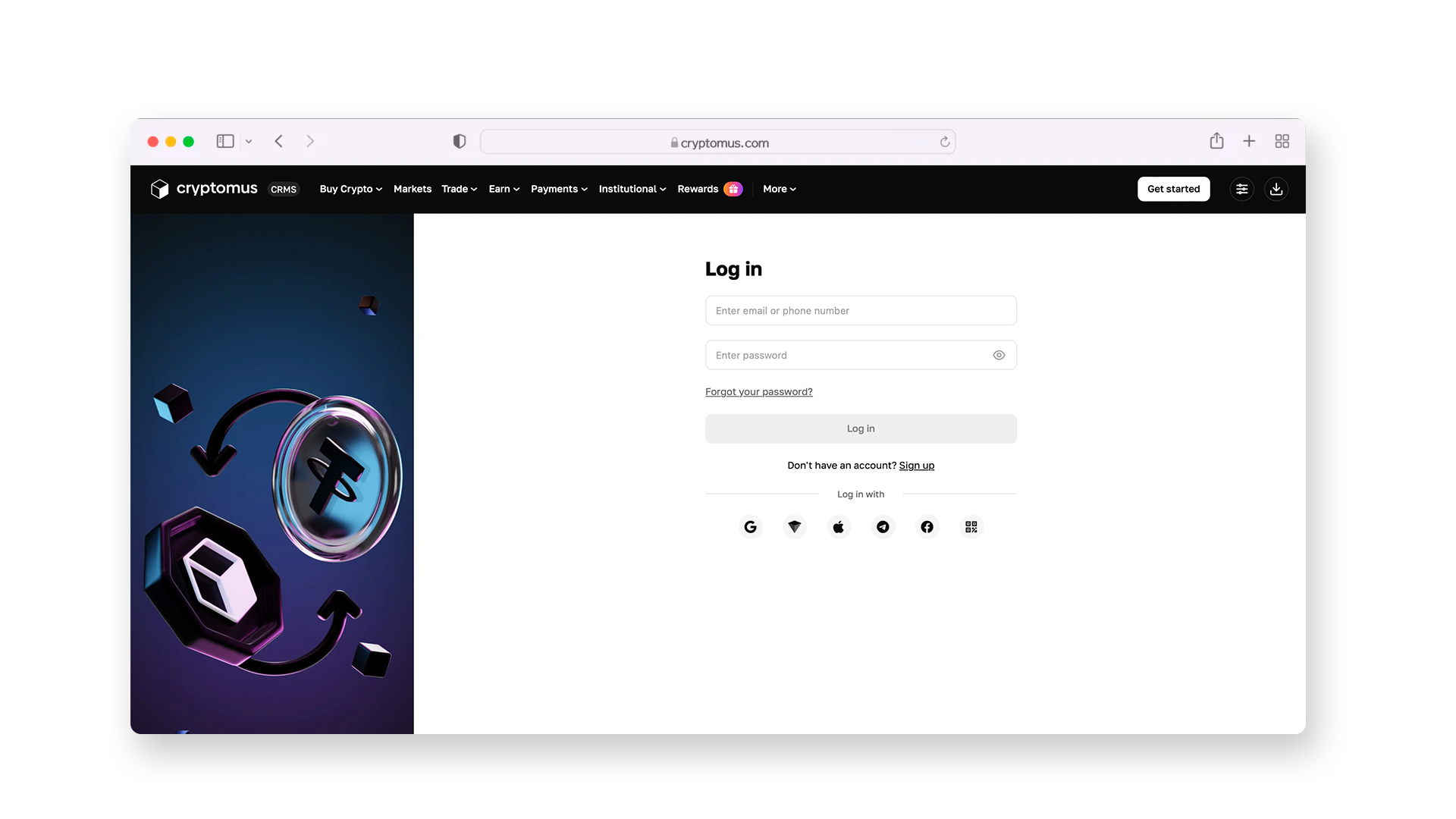
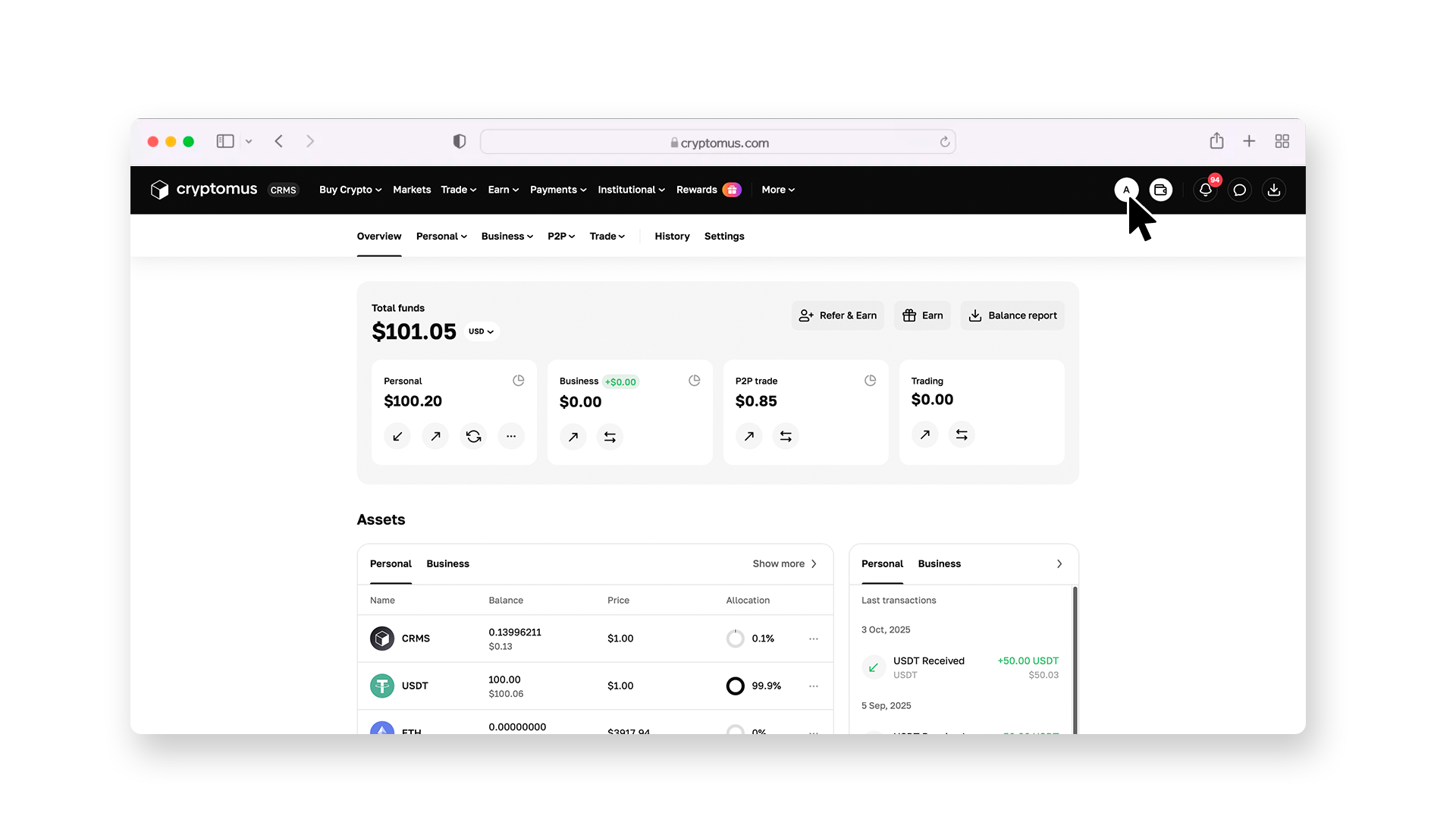
The system will then ask you to complete the identification procedure (KYC) — you’ll need to load a picture of your ID document and take a selfie. The verification takes a few minutes, after which you’ll get access to all the platform's features. To find the KYC section, follow the instructions below.
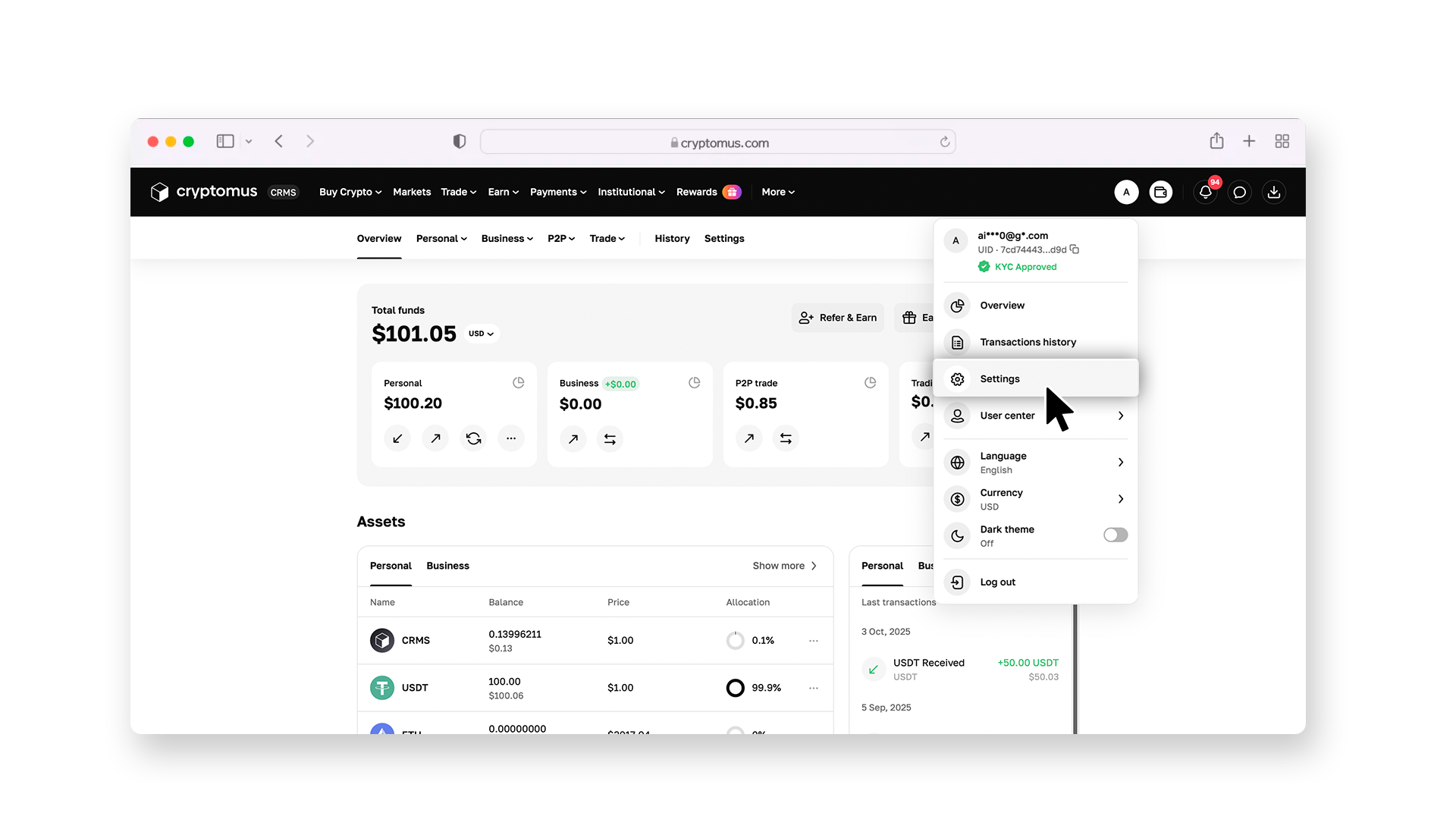
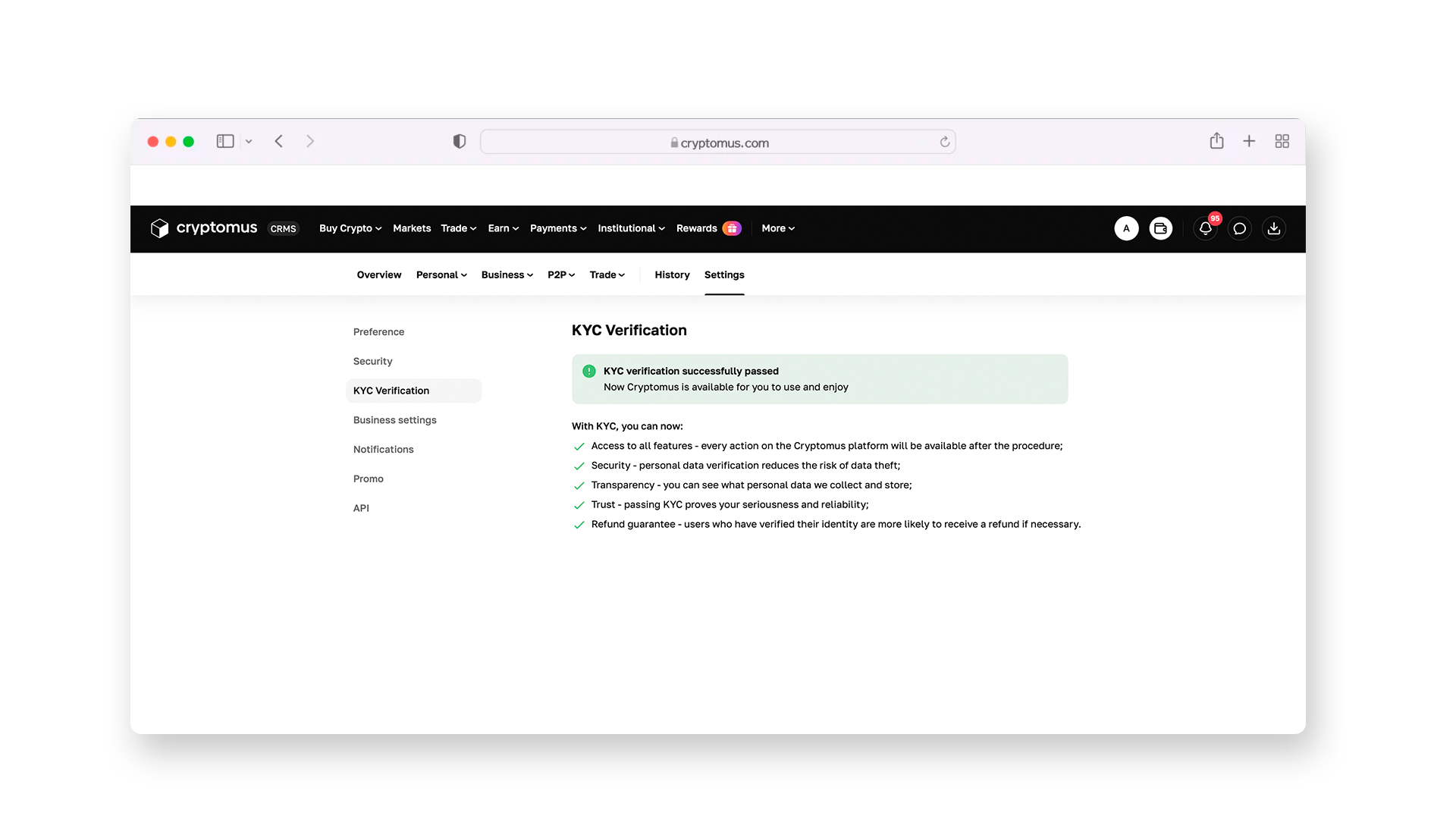
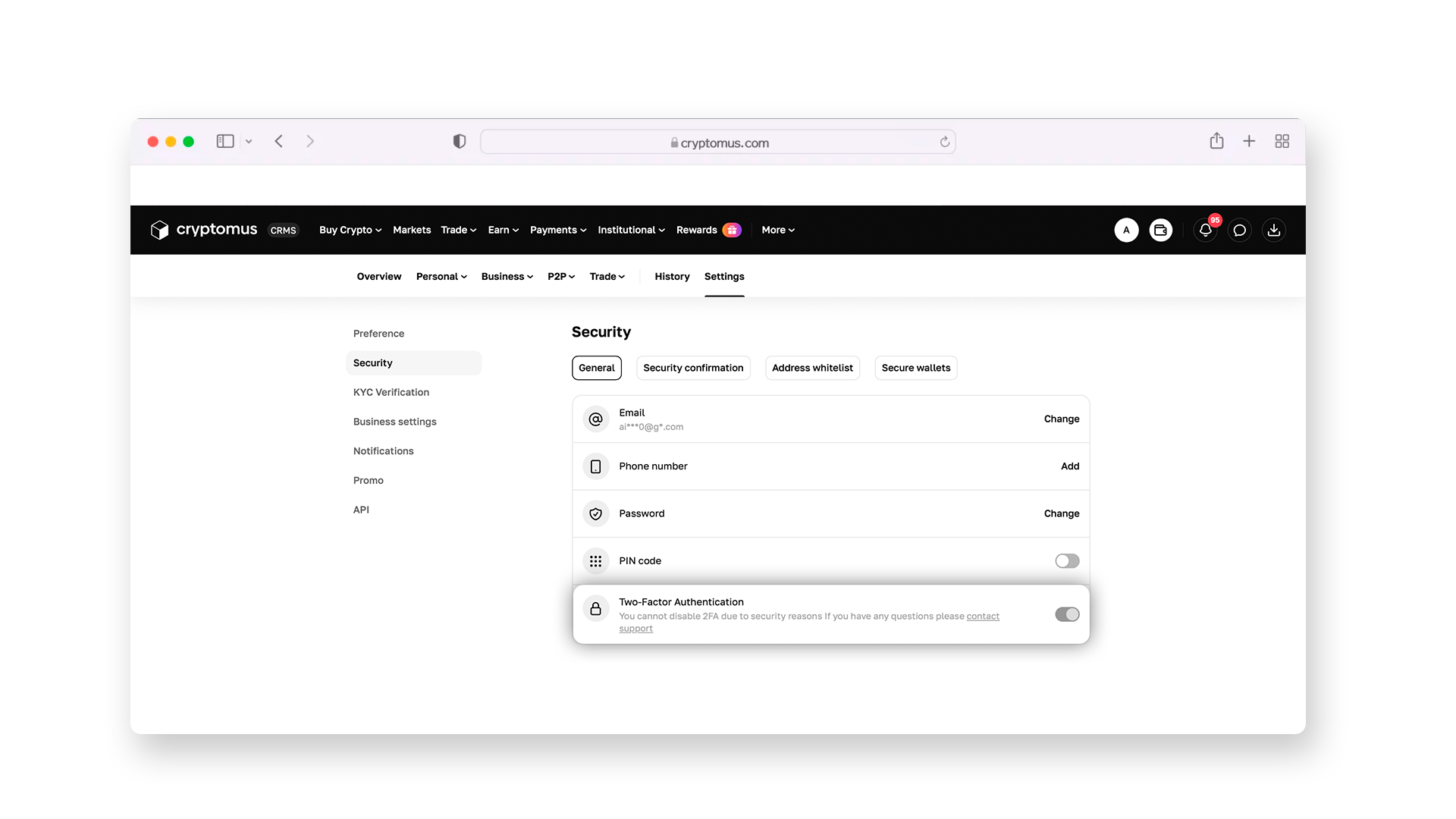
For a full setup, enable two-factor authentication (2FA). Entering a one-time code from a special app will protect your transactions.
Step 2: Configuring the Filters
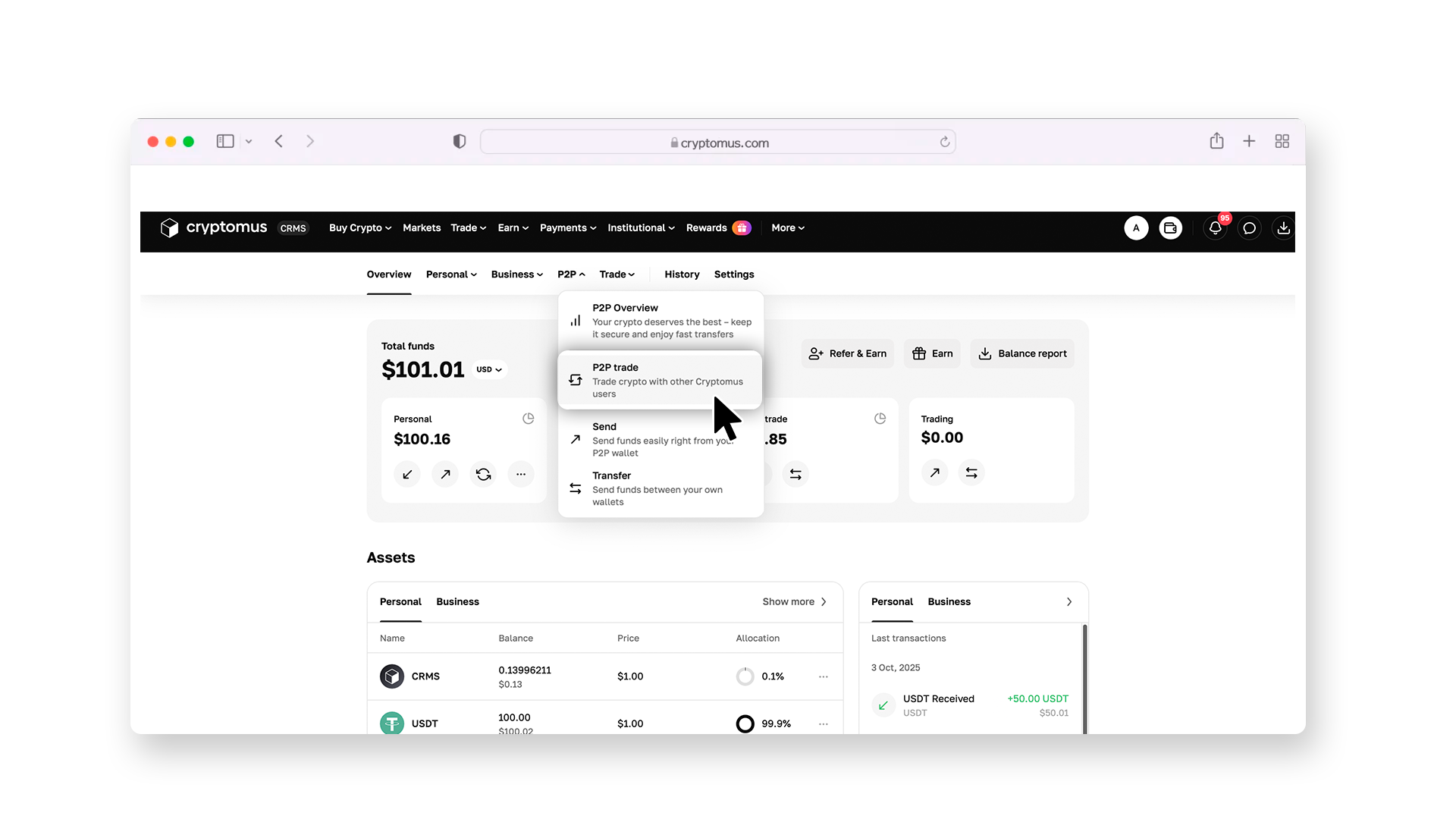
Now go to the P2P trading section. To do this, return to the overview page and select “P2P trade” from the drop-down list, as shown in the image below.
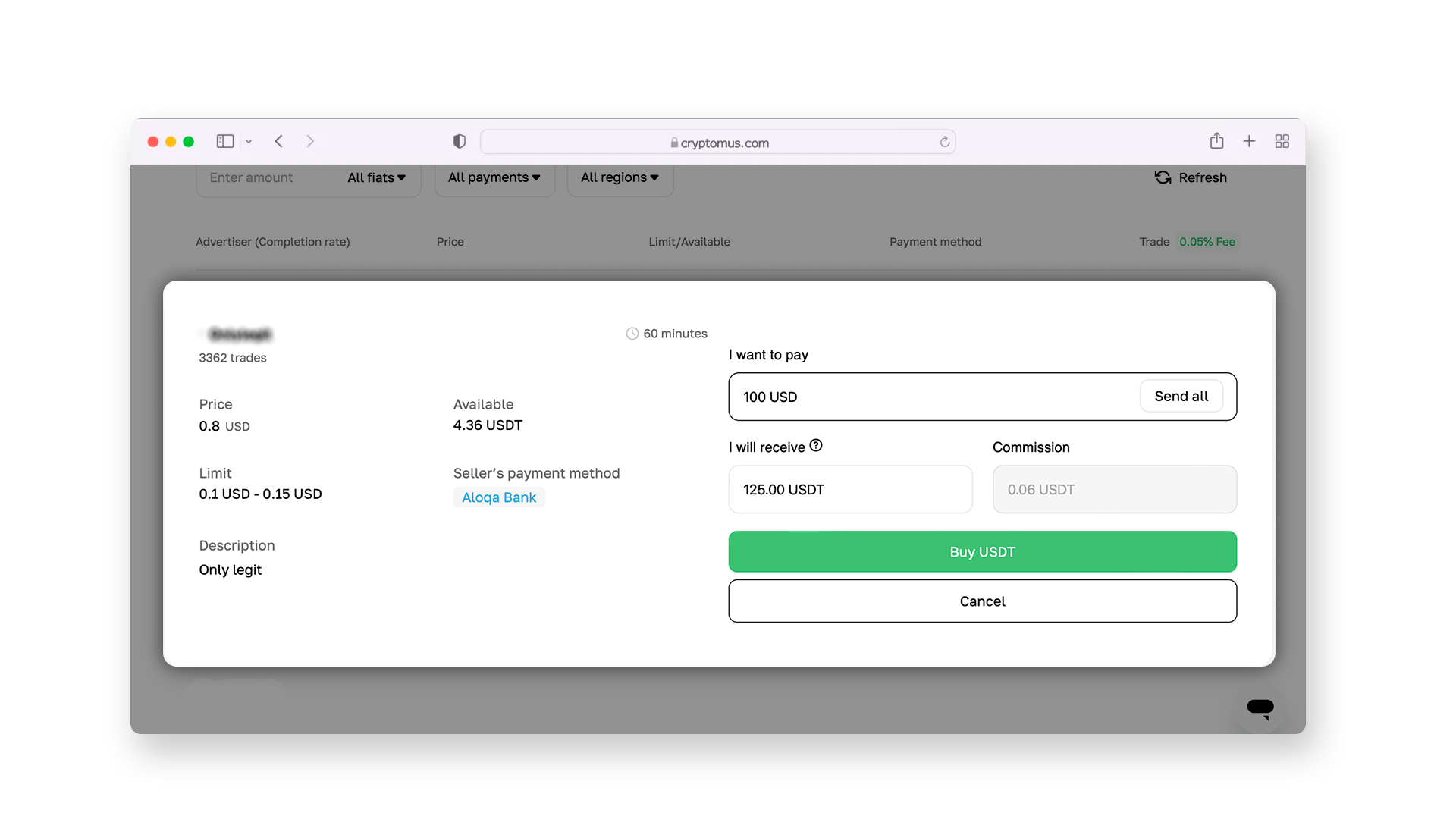
There, select the “Buy” section, where you can choose USDT as the coin you are willing to purchase. Next, in the “All payments” drop-down list, select Visa Gift Card — then the platform will show you ads only from sellers who accept payment using this method.
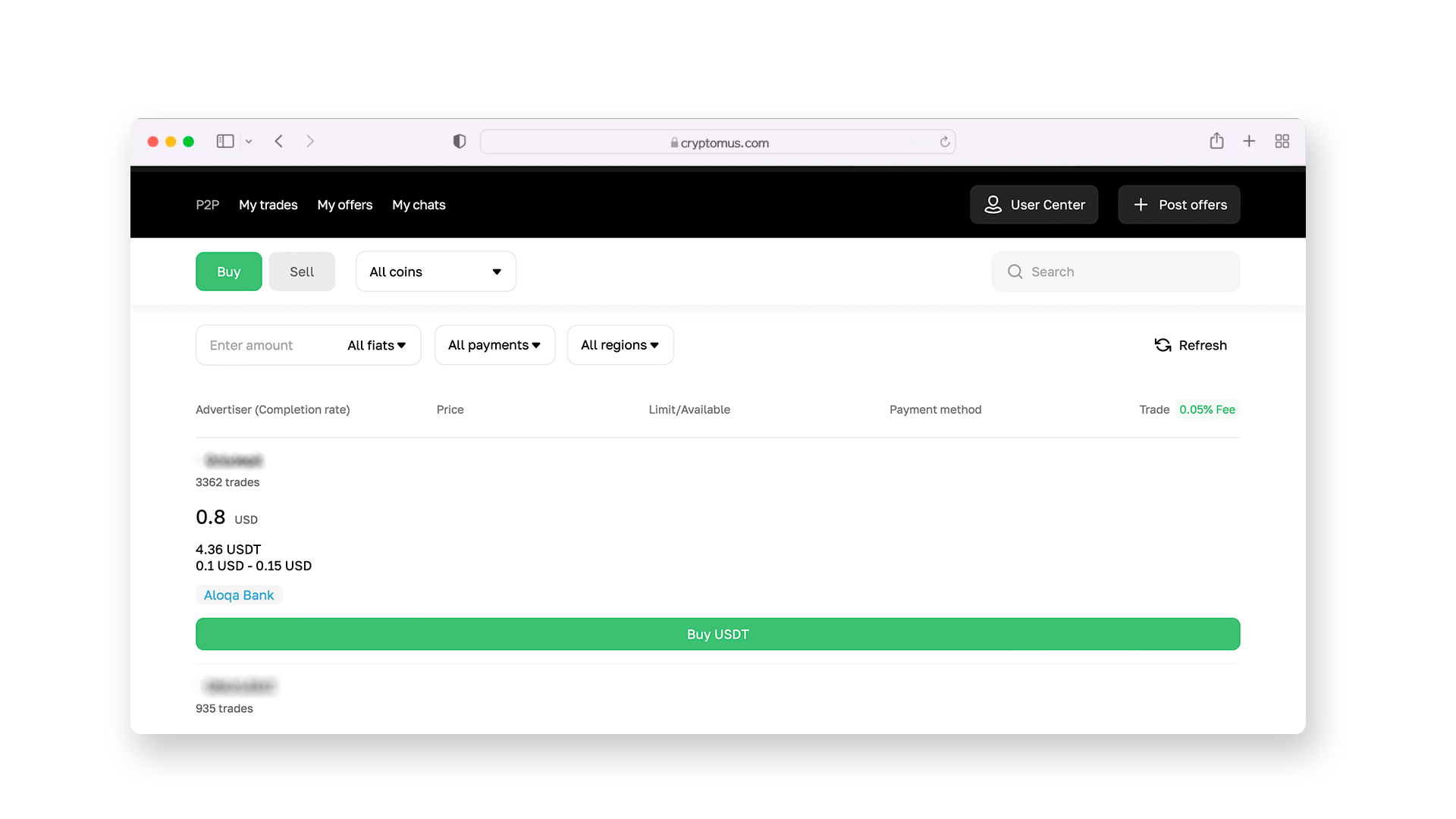
Enter the amount of USDT you want to buy and confirm the action by clicking on the “Buy USDT” button.
Step 3: Selecting a Seller
Once you have configured all the filters, you’ll see a list of USDT ads from sellers who accept payments via Visa Gift Card. They offer different exchange rates, so it’s possible to choose the one you prefer. Nevertheless, be sure to check the seller's rating: a large number of completed transactions and positive reviews tell that this is a reliable trading partner.
Step 4: Making the Deal
Go to the listing page you’ve chosen; there, you can start a chat with the seller to clarify details. Request their Visa card account details (16-digit card number and expiration date) and save them for the payment. Open the bank app you use to manage your card, enter the seller's account details, and complete the transfer. Take a screenshot of the receipt, return to the P2P platform, and click "Transferred, notify seller”. Once the funds are received, your trading partner will send the USDT directly to your Cryptomus wallet.
Now, all you have to do is wait for the USDT arrival in your crypto wallet. After you get it, notify the seller that the transfer was successful. You also may leave them a review if you wish — it’s good for other users to make a decision.
 Buy USDT now with your bank cardPurchase USDT on Cryptomus with a card in a few clicks. Secure payments, fast execution, and simple interface.
How to Send USDT?
Now you have USDT in your account, which you can use as you wish. If you plan to trade or simply send it to other wallets (e.g., to your friends), you should know the sending procedure. We describe it below, also using an example of how to do it on Cryptomus:
-
Request the recipient's crypto wallet address or QR code; save or copy it.
-
Go to the "Send" section.
-
Select USDT and choose the network for transfer (e.g., TRON or Ethereum). Be sure to confirm with the recipient which coin standard they’d like to receive (TRC-20 or ERC-20, respectively).
-
Paste the wallet address for sending in the special field. Check it twice, as an error can result in a non-refundable transaction.
-
Specify the amount of USDT for transfer, considering the network and exchange fees. If you plan to send to another wallet inside Cryptomus, the fee will be zero.
-
Click the "Send" button and confirm the transaction by entering the 2FA code.
Now you just need to wait for confirmation from the recipient that the coins have arrived in their wallet. Try to choose the most optimal time to send your USDT to ensure the transaction goes through as quickly as possible.
As you can see, buying USDT with a Visa Gift Card can be done in just a few clicks. What you should pay attention to is the platform's reputation and its security measures, and choose the seller wisely.
Do you have any other questions about buying or sending USDT? Ask in the comments, and we'll be sure to answer!


